REBEL DEZIGNS · TUTORIAL ARCHIVE
It's A Kind of Magic
An original Photoshop tutorial by René Kunert (giZZY), rebuilt from the preserved archive.
Materials Needed:
- Cloud tubes of choice. Here is the one I used. Please do not redistribute.
- Layer style for name and wording (optional). Do not redistribute.
- Scrap kit collaboration by several designers at HeartbeatzCreationz called It's a Kind of Magic. I am using DarkKat's portion of this collab.
- Tube by the artist of your choice. I am using Tim Lowery. This tube was purchased from MyPSPTubes.com but is now available at PSPTubesEmporium!
Open a new 550px x 550px document. Be sure the DPI is set to 72.
Now look through the kit and arrange the respective elements like shown here:
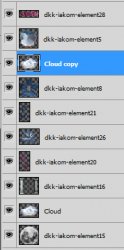
Using this as a guide:
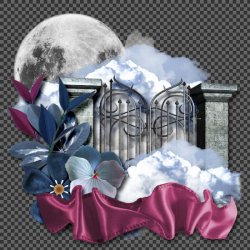
Now add drop shadows to each of the layers (right click the layer and then Blending Options). Vary the distance and size to give your tag more depth and perspective. Set the blend mode of the drop shadows to Linear Burn.
Select the Cloud Copy layer and open your tube of choice. Place the tube and erase any portions that are sticking out from under the ribbon.
Give your tube a drop shadow as you did the other layers.
Add your credits now, so you don't forget.
Now add a name or snag saying on your tag. Make sure it is prominent text so it is not considered a "blank" tag.
Load your layer style into Photoshop. You may simply drag and drop the file into the workspace (not directly on top of the tag).
Select your word layer and then click on the style in the styles pallet. If your pallet is not open, go to Window > (Layer) Styles.
Now you are finished! Congratulations on following an Intermediate tutorial

And this is my result:
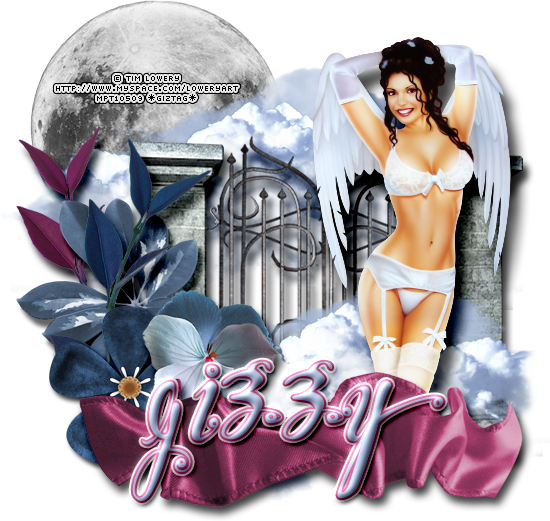
I hope you have enjoyed this tutorial! I would love to see your results.
Hosted by permission. Please link to this tutorial instead of redistributing it or its supplies.
Back to all tutorials