REBEL DEZIGNS · TUTORIAL ARCHIVE
Summertime Fun
An original Photoshop tutorial by René Kunert (giZZY), rebuilt from the preserved archive.
Materials Needed:
- Scrap kit by Rieka Rafita called Summerlicious
- Tube by the artist of your choice. I am using Mike James. Please do not use this image unless you have a license to do so. Mike James has left MPT but his license is still valid.
Open a new 550x550 px document.
Open RR_WoodenBridge from the kit and use your move tool to move it onto your canvas (or copy and paste).
Edit > Free Transform. Add these values at the top of your screen:

Open RR_Palm Tree and move it onto your canvas.
Edit > Free Transform

Open RR_BeachChair and move it onto your canvas.
Edit > Free Transform:

Edit > Transform > Flip Horizontal
Now just move it over to where you want it using the move tool.
Add any other elements to the tag that you would like.
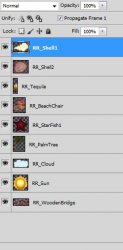
Here is how my layers pallet looks so far:
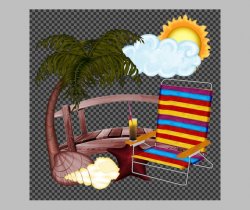
And here is the tag so far:
Now we want to add shadows to the layers.
Right click one of the layers and choose Blending Options.
Now add this shadow:
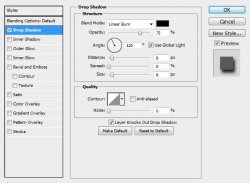
Add this same shadow to all of your element layers.
Now select your topmost layer in the layers pallet.
Open your tube and move it onto your canvas.
Place it where you want it and add the same drop shadow.
Be sure to add your copyright information to your tag so you don't forget.
Now add a name to your tag. Add a stroke and shadow to the name using the Blending Options.
Open a paper of your choice.
Move it onto your canvas and right click it.
Choose Create Clipping Mask.
You can also add any other text to your tag using the same technique.
Now you are done.
Easy, wasn't it??
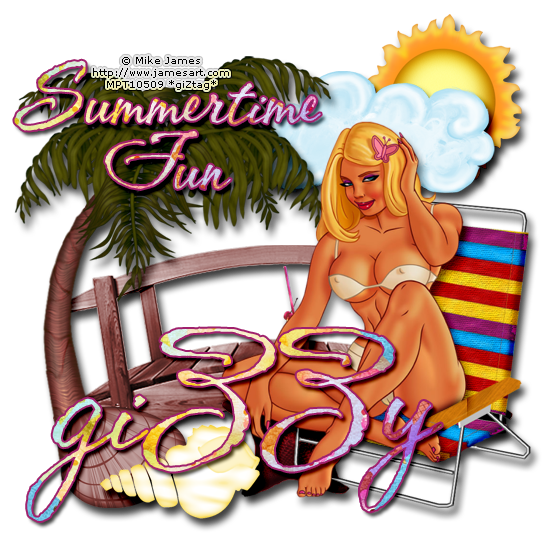
And this is my result:
I hope you have enjoyed this tutorial! I would love to see your results.
Hosted by permission. Please link to this tutorial instead of redistributing it or its supplies.
Back to all tutorials