REBEL DEZIGNS · TUTORIAL ARCHIVE
Tip the World Over
An original Photoshop tutorial by René Kunert (giZZY), rebuilt from the preserved archive.
Materials Needed:
- Templateby me. Template is in vector format for easy resizing.
- Scrap kit by Fanzy Designz called FD#2.
- Sparkles of choice.
- Tube by the artist of your choice. I am using the wonderful work of Keith Garvey. Please do not use this image unless you have a license to do so.
Tips:
- Right click the thumbnail of a layer and Select Pixels for the same effect of the PSP float/defloat option.
- Using layer masks, you can erase portions of a layer without destroying the layer.
- Clipping masks are your friend.
- Use the wand tool to select the inside of frames and then Selection > Modify > Expand: 5-10 pixels. Then add a new layer below the frame and fill with white. This will add the inside to your frames. You can then clip a paper to the filled layer.
Open your template in Photoshop.
Resize to your liking.
After you have resized it, right click one of the layers and choose Select Similar Layers.
Right click again and choose Rasterize Layers.
Highlight the Layer 1 in the layers pallet.
Open a paper of choice.
Place the paper on your template.
Right click the paper layer in the layers pallet and choose Create Clipping Mask.
Right click again and Merge Down.
Repeat those steps for all of the Layers. (Excluding the background)
Now let's add some layer styles.
Highlight Layer 1 in the layers pallet.
Right click it and choose Blending Options.
Now add these styles:
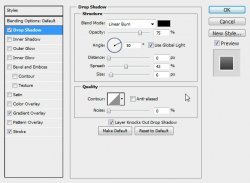
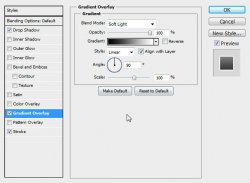
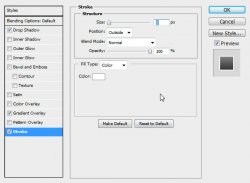
Add these styles to Layer 2:
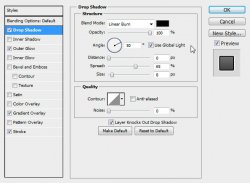
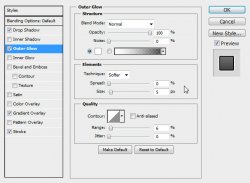
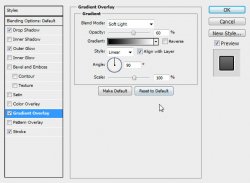
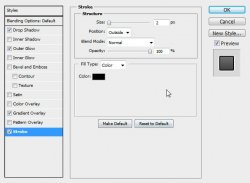
Skip layer 3.
Add these styles to Layer 4 AND Layer 5:
Here is what I have so far:
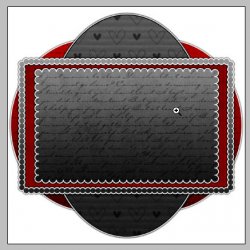
Now arrange your elements on your tag.
I won't go into where I put what element, so I will just show you.
Remember to use Edit > Free Transform to resize and rotate your elements.

Add a drop shadow to all your element layers using the Blending Options.
Vary the distance and size of the shadow to give your tag more depth.
Highlight your topmost layer in the layers pallet and place your tube.
Move the tube down in the layers pallet if you like.
I have moved mine down under the ribbons layer.
Erase any portions of the tube that do not look right on the tag.
Give it also a drop shadow of choice.
ADD COPYRIGHTS so you don't forget.
Place your sparkles on your tag (top layer). Erase any portions of the sparkles that do not work on the tag. (especially over the copyrights)
Give the sparkles an Outer Glow using the Blending Options (right click the layer in the layers pallet)
Set the Blend Mode of the Outer Glow to Color Dodge.
Now add any text/name/wordart you wish.
Give it layer styles if you like.
I have used a stroke, gradient overlay and drop shadow.
Hide the Background layer and save as a .png
And this is my result:
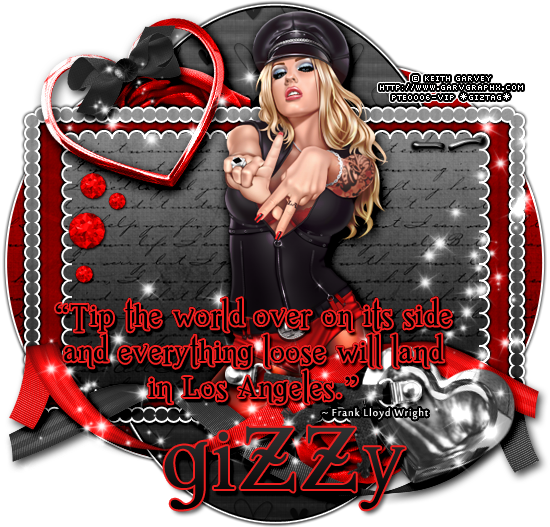
I hope you have enjoyed this tutorial! I would love to see your results.
♥♥♥
Hosted by permission. Please link to this tutorial instead of redistributing it or its supplies.
Back to all tutorials