REBEL DEZIGNS · TUTORIAL ARCHIVE
X Factor
An original Photoshop tutorial by René Kunert (giZZY), rebuilt from the preserved archive.
Materials Needed:
- Scrap kit by Puddicat Creations called Lola's Dark Side.
- Mask of choice. I am using one of my own that can be found in my Image Gallery area of the site. Be sure to prepare your mask for working in Photoshop.
- Tube by the artist of your choice. I am using the wonderful work of Barbara Jensen. This is an exclusive image to Scraps n Crap called Xfactor. Please do not use this image unless you have a license to do so.
Open a new 550x550 pixel canvas. You can work at whatever size you want, this is just my standard size.
Place your prepared mask on the canvas and open a paper from the kit.
Place the paper on your canvas and right click the layer in the layers pallet. Choose Create Clipping Mask.
Right click it again and Merge Down.
I don't want to go all into what you are supposed to put where. Tutorials are just a guideline for what you could do.
Instead, I am going to show you what I have done.
Remember that Edit > Free Transform is what you would use to resize, rotate, and move your elements around your tag.

After you have added all of your elements, right click each of the layers to bring up the Blending Options.
Give each of your elements a drop shadow of choice.
Remember, varying your shadows gives your tag more depth.
Choose the bottom frame and use your selection wand to select the inner portion of the frame.
Select > Modify > Expand: 5px
Create a new layer and move it under the frame by simply dragging it down in the layers pallet.
Edit > Fill
This will fill the inner area of the frame.
Open a paper and place it on the canvas.
Right click the paper layer in the layers pallet and choose Create Clipping Mask.
Right click again and Merge Down.
Highlight the topmost layer in the layers pallet and open your tube.
Place the tube on the canvas and give it a drop shadow of choice using the Blending Options.
Move the tube layer down in the layers pallet until you are happy with the placement.
ADD COPYRIGHTS! Remember, if you are using this image, you need to have a license from Scraps n Crap.
Add a name or snag phrase to your tag. Blank tags are a nono.
You may also add any layer styles to your tag that you wish. I am using a stroke, drop shadow, inner shadow, and gradient overlay.
And this is my result:
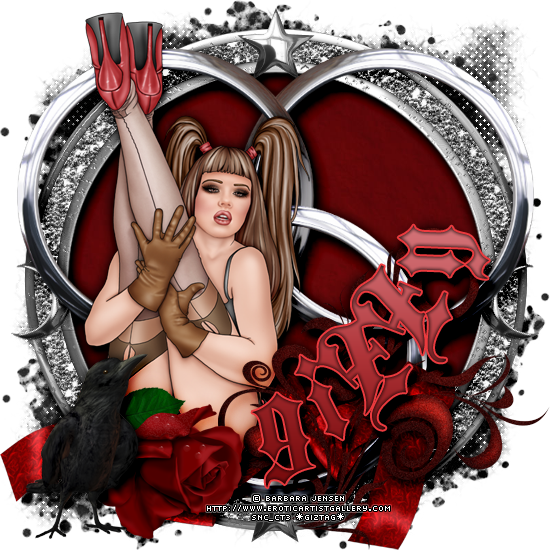
I hope you have enjoyed this tutorial! I would love to see your results.
♥♥♥
Hosted by permission. Please link to this tutorial instead of redistributing it or its supplies.
Back to all tutorials